A QR Code Generator Without the Ads
I needed a QR code at work. Nothing fancy — point a phone at a screen, land on a test URL, confirm the thing works. So I did what everyone does: searched for a QR code generator, clicked the first result, and landed on a page with a cookie banner, two ad slots, a newsletter popup, and a “Sign up to unlock high resolution!” button sitting between me and a 200x200 pixel image with a watermark.
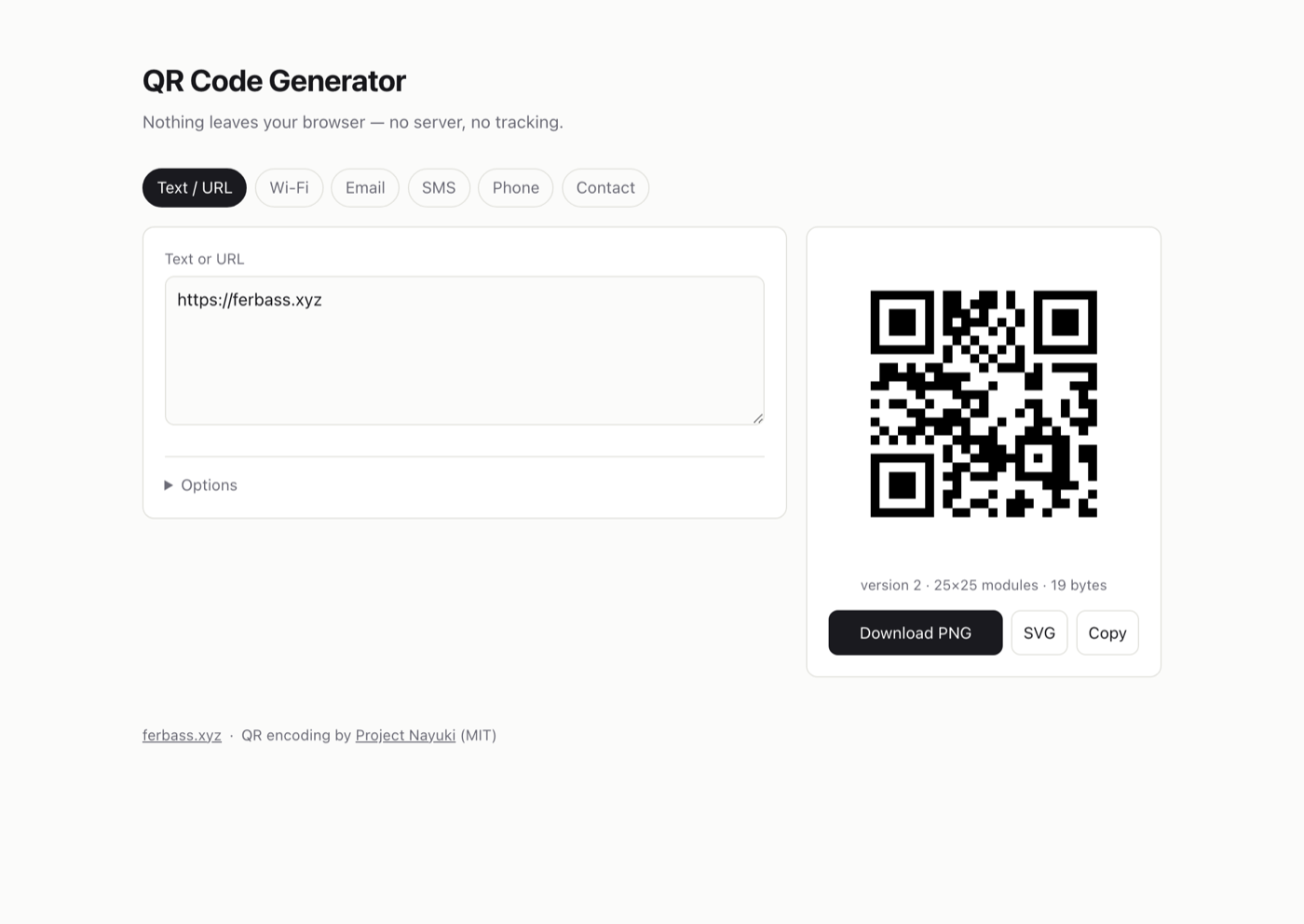
I did that maybe four times in a week before I got annoyed enough to stop. The whole thing now lives at qrcode.ferbass.xyz, it took an evening, and it cost me nothing to run.
The part that actually bothered me
The ads are the obvious complaint, but they are not the real problem. The real problem is that a lot of these sites quietly hand you a dynamic QR code: instead of encoding your URL, they encode a short link on their domain that redirects to your URL. It looks identical. It scans fine in the demo.
And it means someone else owns the thing you just printed on a slide. They can count every scan, and if the free tier lapses or the company folds, your code stops working. For a throwaway test that is merely distasteful. For anything that outlives the afternoon, it is a genuine trap.
A static QR code has none of that. The URL is in the black and white squares. Nothing to expire, nobody in the middle.
QR codes do not need a server
Here is the thing that makes this an evening project rather than a product: generating a QR code is pure computation. Text goes in, a grid of dark and light modules comes out. There is no lookup, no registry, no network call anywhere in the process.
Which means the entire tool can run in the browser. Mine does. There is no backend, no API, no database, and no request leaving the page — the Wi-Fi password you type never goes anywhere except into a canvas element. That is not a privacy feature I bolted on, it is just what happens when you stop over-thinking the problem.
I used Project Nayuki’s QR library for the encoding itself. It is MIT licensed and genuinely well written, and I have no interest in implementing Reed-Solomon error correction by hand. I compiled it from its TypeScript source and vendored the result into the repo rather than pulling it from a CDN, so there is no third party to trust and nothing to break when someone else’s bucket disappears.
The actual product is the payload formats
Encoding text is the solved part. What makes a QR generator useful is knowing what text to encode, because a QR code that joins you to a Wi-Fi network is not magic — it is a plain string in a format your phone’s camera app recognises:
WIFI:T:WPA;S:my-network;P:hunter2;;
That is the whole trick. Same story everywhere else:
| What you want | What gets encoded |
|---|---|
| Open a link | https://example.com |
| Send an email | mailto:hi@example.com?subject=Hello |
| Compose a text | SMSTO:+819012345678:message here |
| Call a number | tel:+819012345678 |
| Save a contact | a BEGIN:VCARD block |
So the tool has a tab per format and builds the string for you. Six of them: text/URL, Wi-Fi, email, SMS, phone, and contact card. That covers essentially everything I have ever needed.
The bug I would definitely have shipped
Look at the Wi-Fi format again and notice that ; and : are
structural. Now ask what happens when the password contains a semicolon.
The format’s answer is backslash escaping, for \ ; , : " — and if you
skip it, you get a QR code that generates perfectly, looks perfectly
normal, and silently fails to join the network. The failure is invisible
right up until you are standing in front of someone whose Wi-Fi will not
connect.
const escWifi = (s) => s.replace(/([\\;,:"])/g, "\\$1");
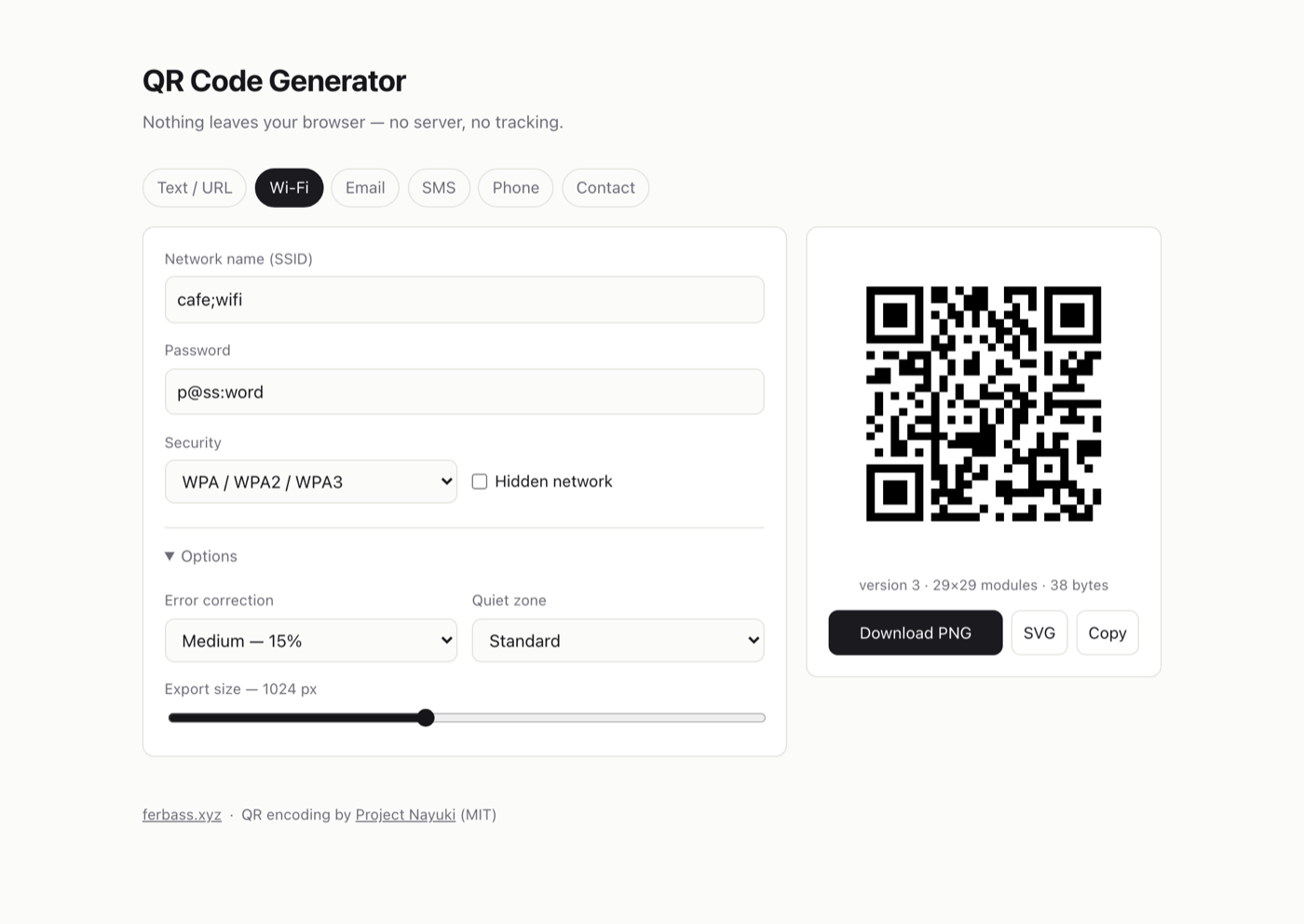
Which raises the question of how you test a QR code. Rendering one and eyeballing it tells you nothing — every QR code looks correct. So I did the obvious thing and closed the loop: encode a payload with my code, then decode the resulting matrix with a completely different library (jsQR), and assert the string that comes back out is byte-for-byte what went in.
That caught what I wanted it to catch. The suite runs a network name and
password stuffed with ; and :, a multi-line email body, a vCard with
a comma in the company name, Japanese text with an emoji, and a
1200-character blob for good measure. All of them round-trip. The
generator I would have shipped without that test would have looked
identical and been wrong.
Where it lives
I run this blog on Google App Engine, and it turns out adding a subdomain
to an existing project is almost free. A small app.yaml declares a
static service, one routing entry points the hostname at it, and that is
the entire infrastructure. Because it scales to zero and serves nothing
but static files, the running cost rounds to zero — which is the right
price for a tool that exists so I never have to close a newsletter popup
again.
I did briefly wonder whether this deserved its own repository. It does not. The file that routes hostnames to services already lives in the blog repo, so a separate repo would have meant two deploys that need to stay in sync, in exchange for nothing.
Worth an evening
There is a category of tool where the free web version is worse than what
you could build yourself in an evening, and QR codes sit right in the
middle of it. The hard part — the encoding — is a library someone else
already wrote and gave away. What is left is a form, some string
formatting, and knowing that ; needs escaping.
The result is a page I control, that works offline, that does not phone home, and that will still generate the same codes in five years. Most of the small tools I use every day could be that, and I keep forgetting it until something makes me annoyed enough to check.
This post was written with the help of AI (Claude by Anthropic).